Credits, Plans & Billing
Understand how credits work, compare plans, and manage your subscription and billing.
In this guide
Plans Overview
StageFlow offers plans designed to grow with your shop. Here is a quick breakdown:
- Free — 10 one-time credits to try StageFlow out. Images are generated at standard resolution.
- Starter ($12/mo) — 30 credits per month, HD downloads, and credit rollover. Great for sellers just getting started.
- Creator ($23/mo) — 100 credits per month, HD downloads, and credit rollover. Built for sellers who list regularly.
- Studio ($58/mo) — 300 credits per month, everything in Creator. Built for high-volume sellers.
All paid plans offer annual billing that saves 20% compared to monthly. You can switch between monthly and annual at any time.
What Costs a Credit
Credits are the currency that powers your mockup creation. Here is exactly what costs a credit:
- 1 credit per mockup generation.
- 1 credit per edit refinement.
Every generated image gets one free upscale (your choice of 2K or 4K). Additional upscales on the same image cost 1 credit each.
Everything else is completely free — downloading, cropping, saving, browsing, and organizing your projects. You will never be charged for managing your work.
How Credit Rollover Works
On a paid plan, you do not lose unused credits at the end of the month. Here is how rollover works:
- Unused subscription credits roll over to the next billing month.
- Up to 50% of your monthly allocation can carry over.
- Rollover credits are used after your fresh subscription credits for the month.
- Purchased credits (from top-up packs) are used last and never expire.
Buying Credit Top-Up Packs
Running low on credits mid-month? Paid plan subscribers can buy additional credit packs whenever they need a boost.
- Top-up packs are available for paid plan subscribers only.
- Buy extra credits whenever you need more — no waiting for the next billing cycle.
- Purchased credits never expire, even if you change plans later.
- Access packs from the Account page or when you run out of credits and are prompted to top up.
Upgrading or Downgrading
Switching plans is easy, and StageFlow handles the transition fairly:
- Upgrades take effect immediately. You will see a prorated charge for the remainder of your current billing period, and your new credits are available right away.
- Downgrades are scheduled for the end of your current billing period. You keep your current plan benefits until then — nothing changes mid-cycle.
- A pending plan change shows as "scheduled" on your Account page so you always know what is coming.
Managing Billing & Cancellation
All billing management happens through the Manage Subscription button on your Account page, which opens the Stripe billing portal.
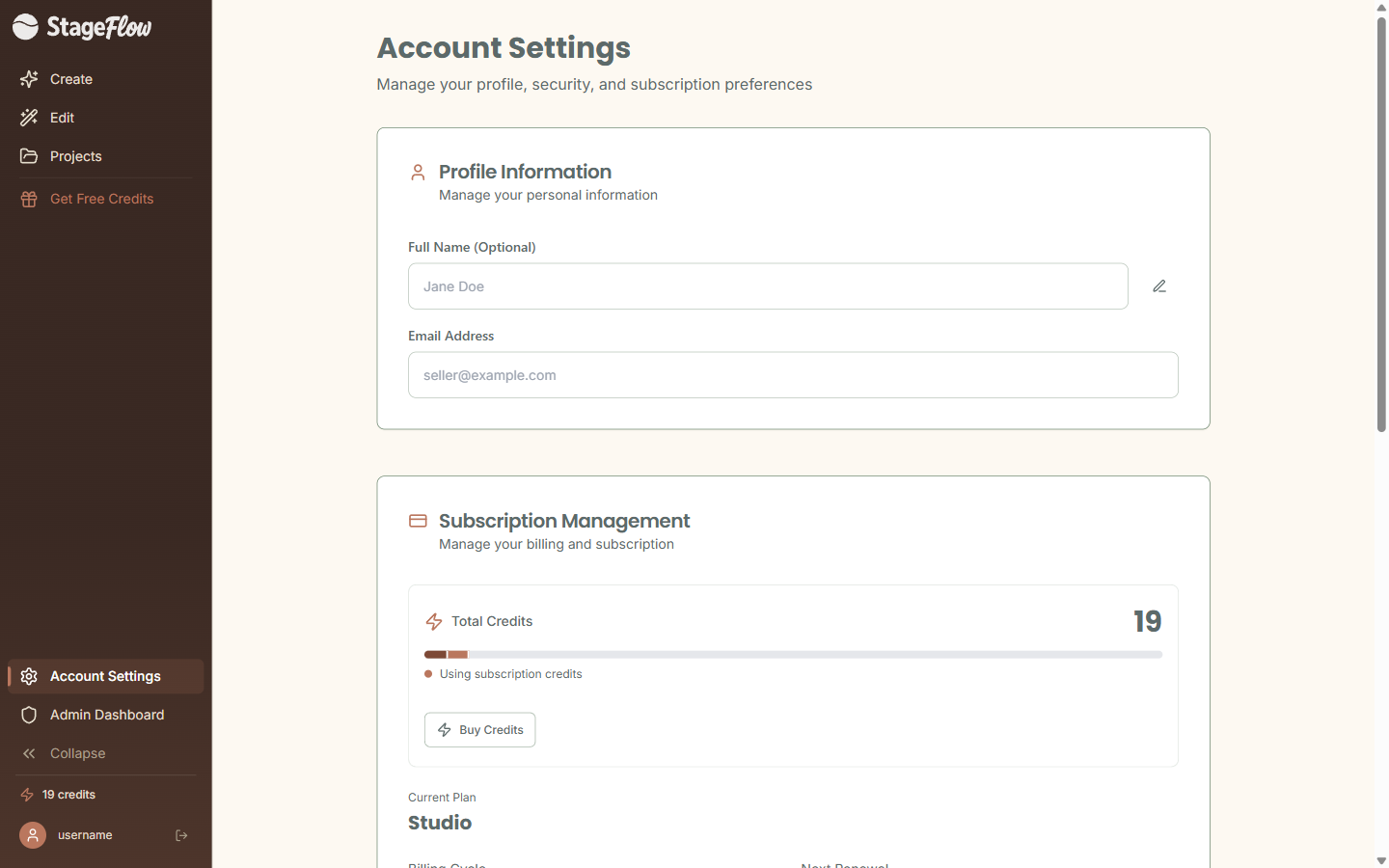
From the billing portal you can:
- View past invoices and receipts.
- Update your payment method.
- Switch between monthly and annual billing.
If you decide to cancel, here is what to expect:
- Your plan benefits last until the end of your current billing period. You are not cut off immediately.
- Any purchased credits survive cancellation — they stay on your account if you ever come back.
Still have questions?
support@stageflow.ai