Account & Settings
Manage your profile, security, credits, referrals, and account preferences.
In this guide
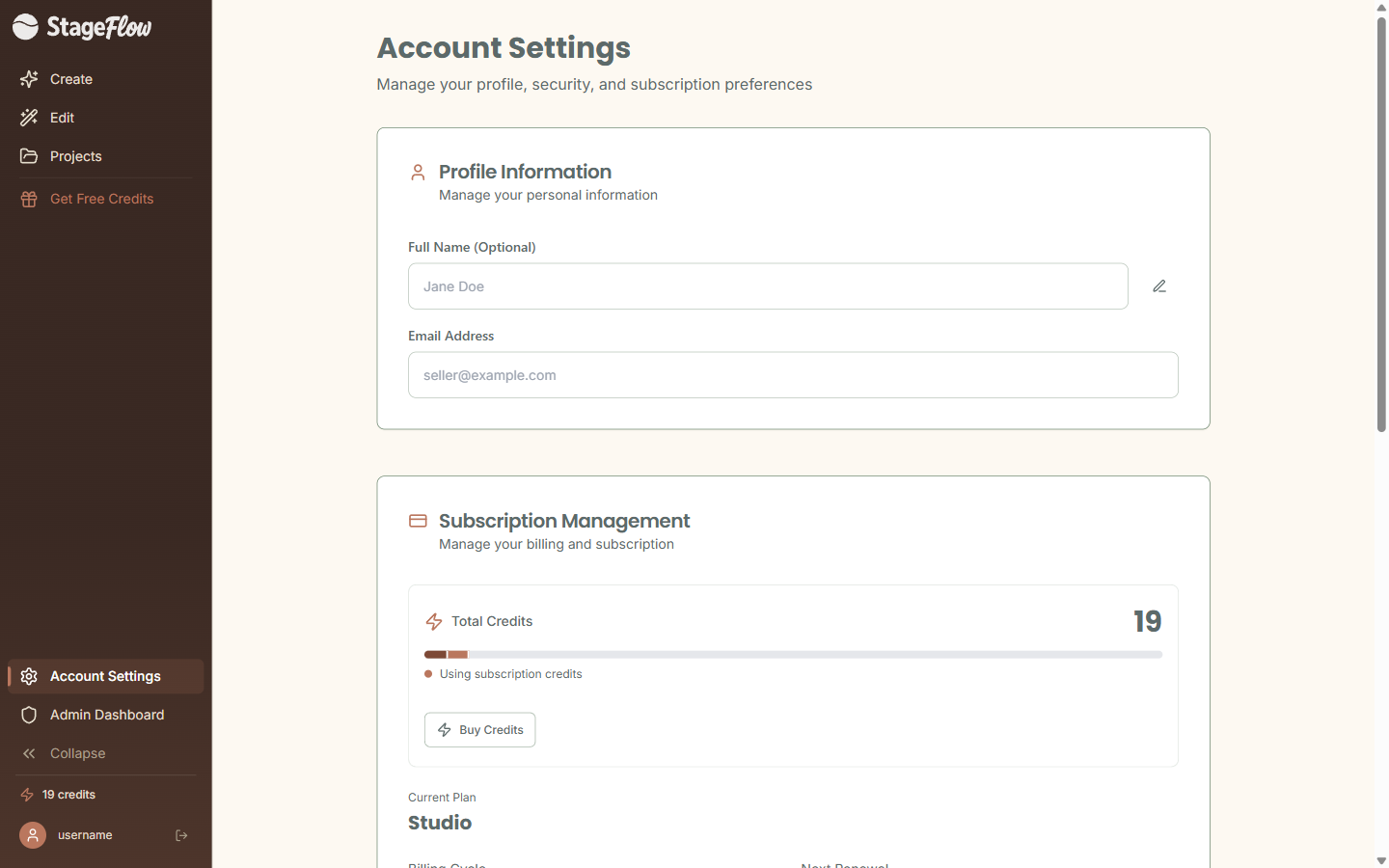
Updating Your Profile
Your display name is how you are identified across StageFlow. To change it, head to the Profile section on your Account page, edit your name, and click Save to confirm.
Changing Your Email Address
Need to update the email linked to your account? Here is how:
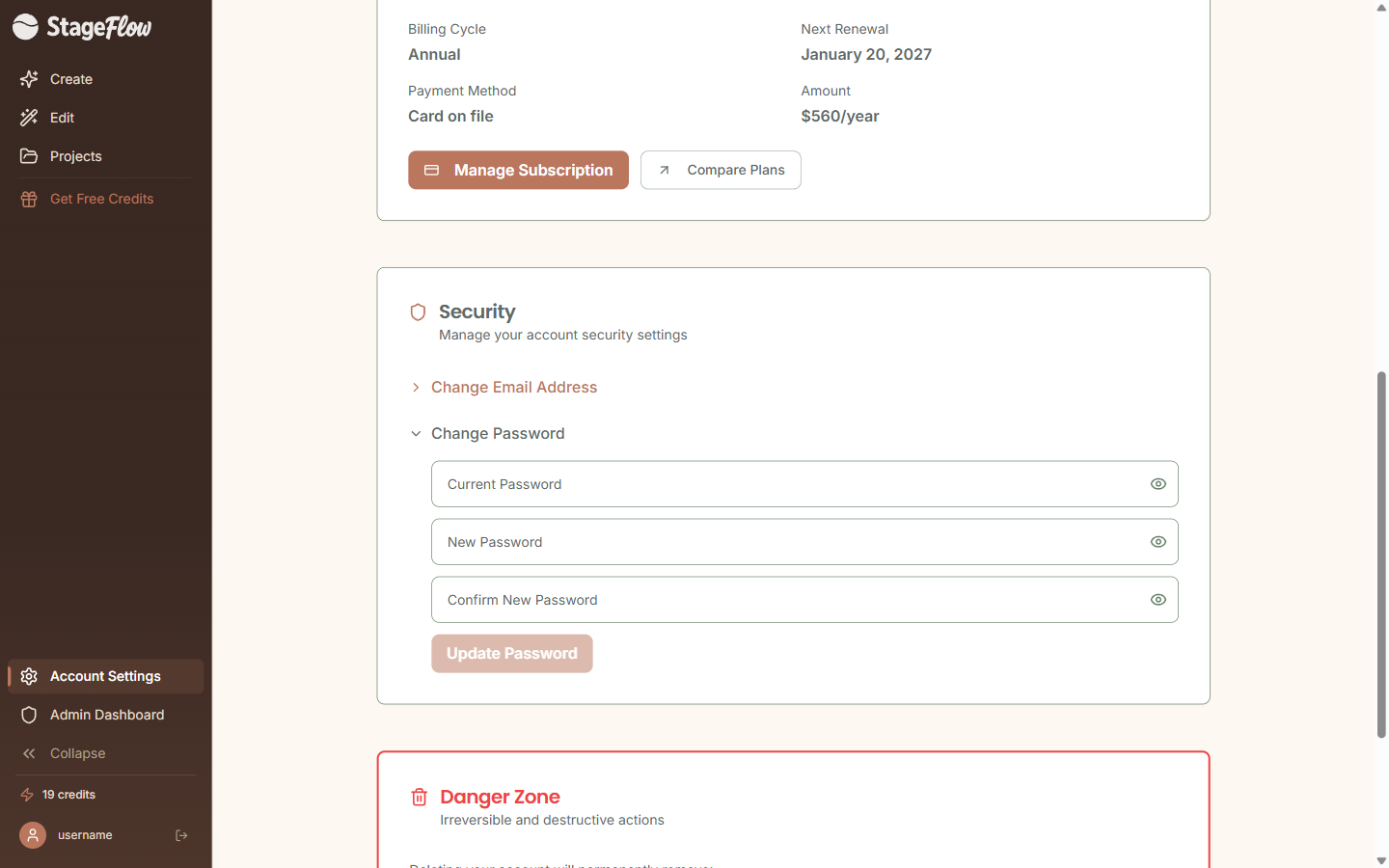
- Expand the Change Email section under Security on your Account page.
- Enter your new email address and confirm it.
- Confirmation links are sent to both your old and new email addresses.
Changing Your Password
To update your password:
- Expand Change Password under Security on your Account page.
- Enter your current password.
- Type your new password twice — both entries must match to confirm the change.
Your Credit Balance
Your Account page displays your total credit balance with a color-coded progress bar that breaks down your credits by type:
- Subscription credits — the fresh credits from your current plan cycle.
- Rollover credits — unused credits carried over from last month.
- Purchased credits — credits bought through top-up packs.
If you are on the Free plan, you will see a note that your trial credits do not reset. Once they are used, you will need to upgrade to keep creating.
Referral Program
Love StageFlow? Share it with friends and earn credits when they sign up and go paid.
- Find your unique referral link on the Account page.
- When a referred friend signs up and upgrades to a paid plan, you earn credits.
- Track your stats: total signups, conversions, and credits earned.
- Share via the copy link button or native share on mobile.
Deleting Your Account
If you need to delete your account, you will find the option in the Danger Zone at the bottom of your Account page.
- You must type "DELETE" to confirm — this prevents accidental deletions.
- Deletion permanently removes all projects, all images, all credits, and your account data.
Still have questions?
support@stageflow.ai