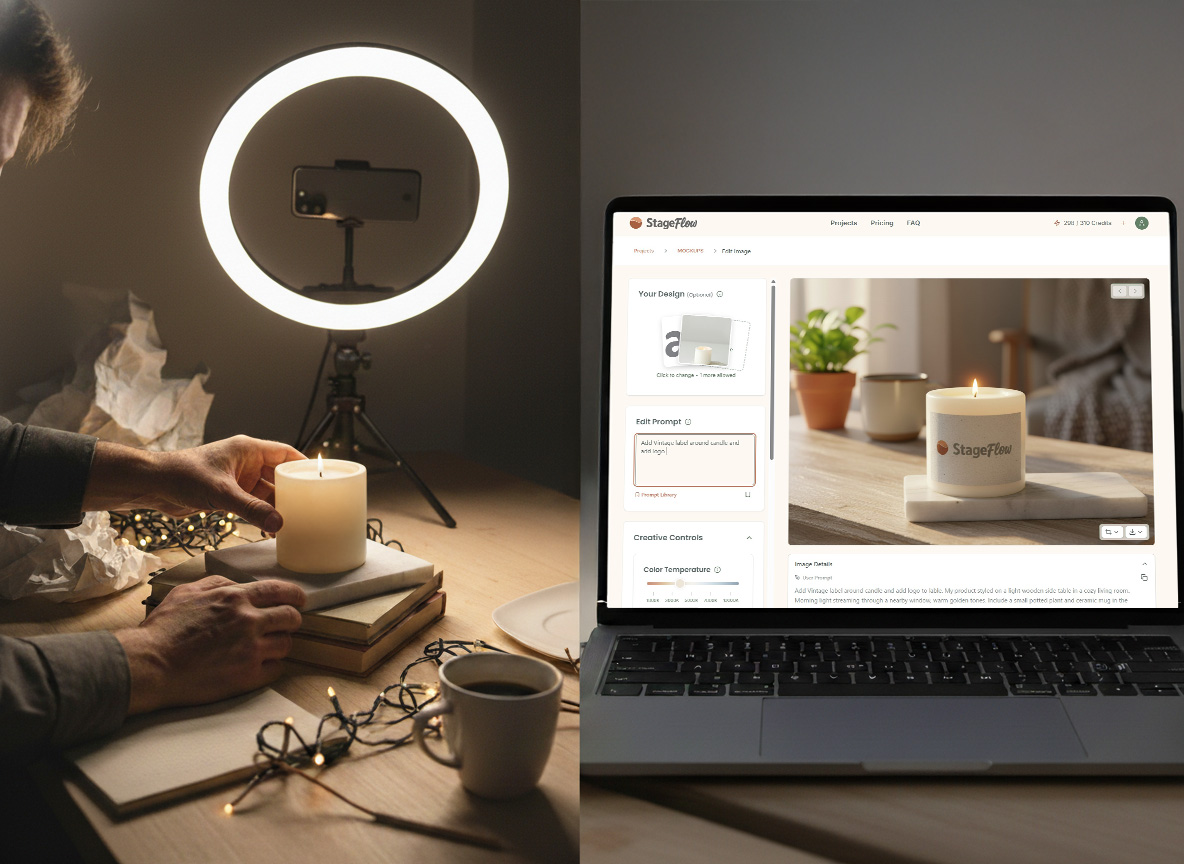
You spent three hours arranging your handmade candles on a wooden tray, adjusting the lighting, and taking 47 photos on your iPhone. You uploaded the best one to Etsy, feeling hopeful. Two weeks later: 12 views, zero sales.
Sound familiar?
If you're an Etsy seller, you already know that your product photos can make or break your shop. But between running your business, creating inventory, and managing customer service, professional photography often feels like one more impossible task on an endless to-do list.
The good news? In 2026, creating scroll-stopping product photos doesn't require a photography degree, expensive equipment, or hours of your time. This guide will show you exactly how to create photos that convert browsers into buyers, whether you're photographing candles, jewelry, mugs, or art prints.
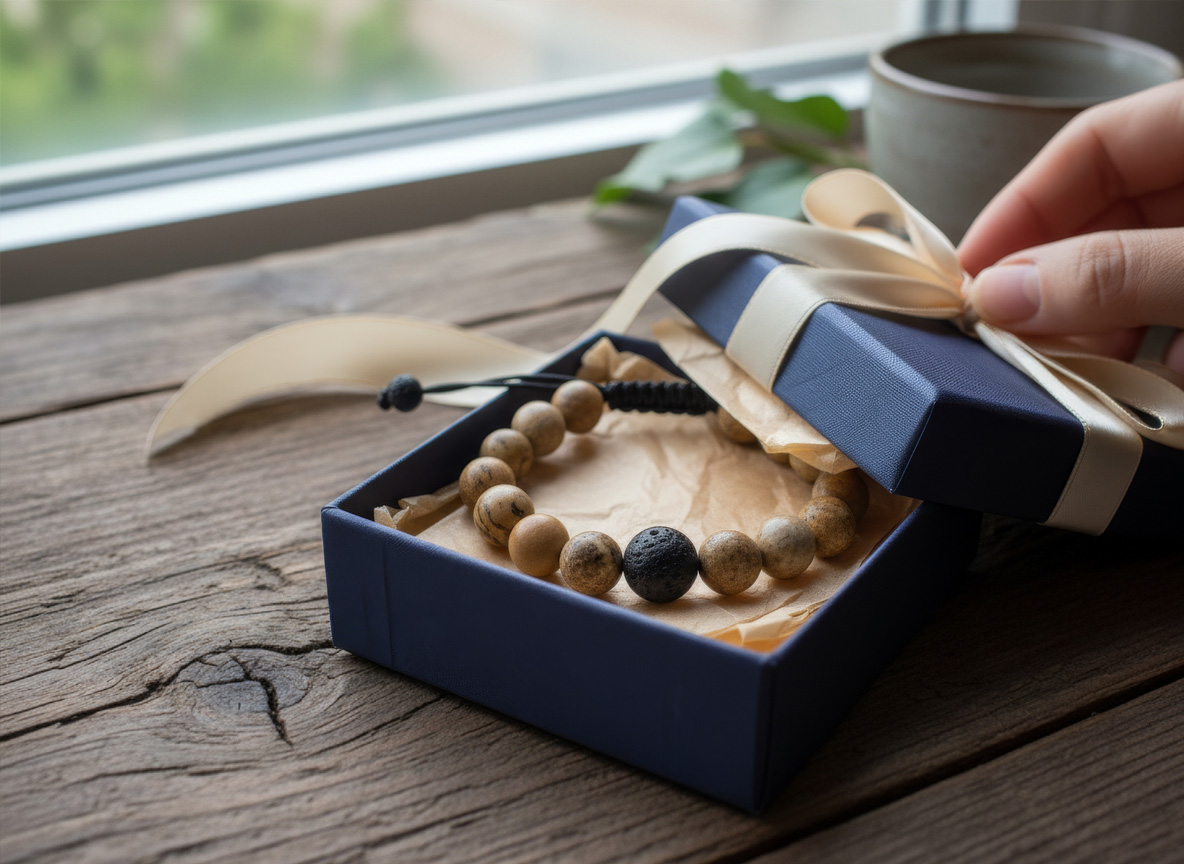
Why Your Product Photos Matter More Than You Think
Let's start with some uncomfortable truth: your Etsy listing has approximately 0.5 seconds to capture attention before a potential customer scrolls past.
In that half-second, they're not reading your carefully crafted description or noticing your 5-star reviews. They're looking at your main product photo. And they're making split-second judgments:
Does this look professional or homemade?
Can I imagine this product in my life?
Does this seller care about quality?
Is this worth my time to click?
Here's what the data tells us:
Listings with lifestyle photos (showing products in real-world settings) see 60% higher click-through rates than white-background-only photos. Buyers don't just want to see what your candle looks like. They want to see it glowing on a cozy nightstand, casting warm light on a book and a cup of tea.
Listings with 8+ photos convert at nearly double the rate of listings with just 1-3 photos. Why? Because trust is built through transparency. Every angle you show, every use case you demonstrate, is another objection you're answering before it's even asked.
The DIY Photography Trap (And Why You're Stuck In It)
Most Etsy sellers start the same way: a smartphone, natural window light, and a clean white surface. It's practical. It's accessible. And it's exactly what your 10,000 competitors are doing.
Here's what typically happens:
Week 1: Optimistic Attempts
You watch three YouTube tutorials about smartphone photography. You buy a white poster board. You rearrange your living room to catch the "golden hour" light. You take 50+ photos per product.
Week 2: Diminishing Returns
The lighting keeps changing. Your cat walks through the shot. The photos look "fine" but not professional. You spend 45 minutes editing in a free app, only to realize the colors still don't match your actual product.
Week 3: Expensive Equipment Consideration
You start researching ring lights ($80), photo tents ($60), and camera upgrades ($400+). You bookmark a DSLR camera "for later." You wonder if you should just hire a photographer.
Week 4: Compromise and Resignation
You settle for "good enough" photos because you need to launch. You tell yourself you'll redo them later. You never do.
The problem isn't your skill. It's the inherent limitations of DIY product photography:
Inconsistent lighting (seasons change, clouds roll in, your schedule doesn't align with golden hour)
Limited styling resources (you don't own 47 different aesthetic backgrounds and props)
Time scarcity (every hour spent on photography is an hour not making product or fulfilling orders)
Lack of variety (you need multiple lifestyle settings, but you only have one kitchen counter)
What Actually Makes Etsy Listings Convert
Before we talk about solutions, let's talk about what successful Etsy shops are doing differently. After analyzing top-performing listings across categories, here are the non-negotiables:
1. Context Over Isolation
Compare these two scenarios:
Photo A: A soy candle centered on a white background
Photo B: The same candle on a wooden shelf next to a vintage book, with soft afternoon light filtering through linen curtains
Photo B sells because it tells a story. It shows the buyer exactly where this candle belongs in their life. It creates an emotional connection to a lifestyle, not just a product.
2. Aesthetic Consistency
Top Etsy shops don't just have good photos. They have a recognizable visual brand. Scroll through their listings and you'll see:
Consistent color palettes (warm terracottas and creams, or cool coastal blues, or moody dark academia tones)
Repeating styling elements (same wood texture, similar fabric backgrounds, complementary props)
A clear aesthetic identity (Boho, Minimalist, Cottage core, etc.)
This isn't about being boring. It's about being memorable. When a customer sees your product in their feed three weeks later, they should recognize your style instantly.
3. The 8-Photo Strategy
Here's the proven formula for your Etsy listing gallery:
Hero shot- Your product in its best lifestyle setting
Close-up detail- Texture, craftsmanship, quality indicators
Scale reference- Product in use or next to common objects
Flat lay- Overhead styling shot
Alternative angle- Different perspective of hero shot
Packaging/presentation- How it arrives (builds gift-giving appeal)
Color/variety options- If applicable
Social proof or additional lifestyle- Different setting or customer photo
Most sellers stop at 3-4 photos because creating more feels overwhelming. But those extra photos are where conversion happens.
4. Multiple Aesthetics for Multiple Customers
Here's something most sellers miss: your ideal customer isn't one person. They're several different buyer personas.
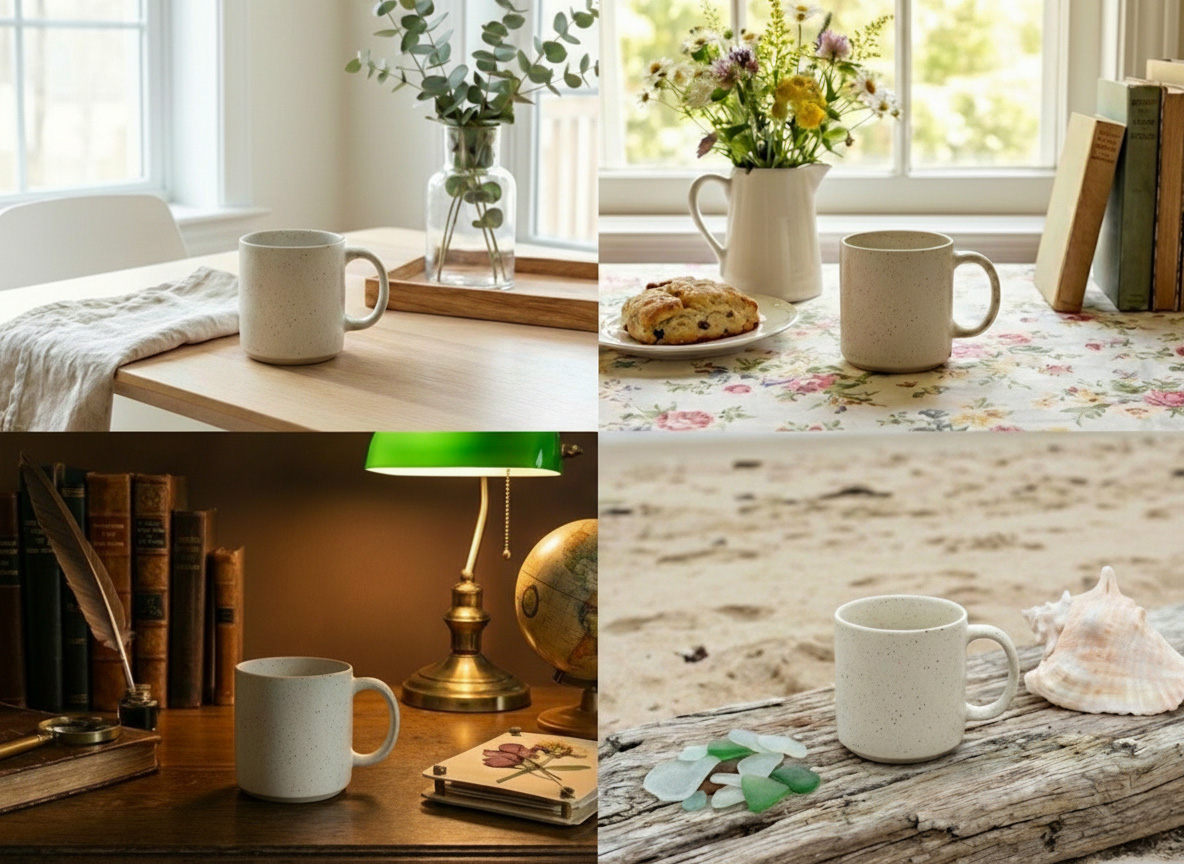
Your handmade mug appeals to:
The minimalist who wants clean Scandinavian vibes
The cottage core enthusiast who loves rustic farmhouse settings
The dark academia student who wants moody library aesthetics
The coastal living buyer who wants breezy, light-filled scenes
Traditional photography forces you to choose one aesthetic and hope it resonates. But what if you could show your product in all these settings?
How AI Changes the Game (Finally, a Real Solution)
For years, the advice was always the same: hire a professional photographer or invest in expensive equipment. Great advice if you have $500-2,000 per product shoot and infinite time to coordinate.
For the rest of us, 2025 brought a different answer: AI-powered product photography that actually works.
I'm not talking about generic AI image generators that produce uncanny-valley weirdness. I'm talking about purpose-built tools designed specifically for product photography. Tools that understand commercial requirements, marketplace standards, and what actually sells.
What Modern AI Product Photography Does
The technology works like this: you upload your product photo (yes, even that iPhone shot on your kitchen counter). Then you select:
Environment (studio, lifestyle, outdoor, minimalist)
Framing (full shot, hero angle, close-up, flatlay)
Aesthetic vibe (from 41 curated presets across categories like Boho, Coquette, French Country, Coastal, etc.)
The AI doesn't just slap your product onto a random background. It:
Understands lighting physics (shadows fall naturally, reflections make sense)
Respects perspective (your product sits in the scene, not awkwardly floating)
Maintains photorealism (no AI artifacts, no "generated" tells)
Meets marketplace requirements (2000px+ for Etsy)
Real Example: The Candle Seller's Transformation
Let's say you sell hand-poured soy candles. You need 8 different lifestyle photos, but you're working from a small apartment with limited styling resources.
Traditional approach:
Source props for 8 different aesthetic settings (time: 4+ hours, cost: $100+)
Set up and photograph each scene (time: 6+ hours)
Edit all photos for consistency (time: 3+ hours)
Total: 13+ hours, $100+ in props, highly variable results
AI approach:
Upload one good product photo (time: 2 minutes)
Generate in different vibes: Terracotta Sunset (Boho), Scandinavian Light (Minimalist), Dark Academia Library, Coastal Blue Serenity, etc.
Download professional results (time: 20 minutes total)
Total: 25 minutes, $0 in props, consistently professional results
The difference isn't just time. It's possibility. You can now test which aesthetics resonate with your audience, create seasonal variations, and refresh your listings quarterly without reshooting everything.
Step-by-Step: Creating Photos That Convert in 2025
Here's your practical action plan:
Phase 1: Get One Great Source Photo
You still need a decent starting point. Here's the minimum:
Good lighting- Natural window light or a basic ring light ($25)
Clean background- White or neutral (poster board works)
Proper focus- Sharp, clear product details
Straight-on angle- Don't worry about artistic angles yet
This doesn't need to be perfect. It just needs to clearly show your product.
Phase 2: Plan Your Aesthetic Strategy
Think about your ideal customers. Which of these aesthetics match their style?
Minimalism- Scandinavian Light, Warm Neutral, Monochrome Zen
Boho- Terracotta Sunset, Desert Sage, Jewel-Toned Wanderlust
Cottage core/French Country- Lavender Provence, Toile de Jouy
Coastal- Ocean Blue Serenity, Lush Tropical Garden
Dark Academia- Library, Vintage Typewriter Study
Playful/Coquette- Soft Pink Bow Fantasy, Ballet Romantique
Choose 3-5 aesthetics that align with your brand and your customer base.
Phase 3: Generate Your Lifestyle Shots
This is where AI tools like Stageflow come in. The process:
Upload your source photo
Select environment (studio/lifestyle/outdoor/minimalist)
Choose framing (hero shot, flatlay, close-up, etc.)
Pick your aesthetic vibe or describe the scene
Generate your photo (takes about 30 seconds)
The beauty of this approach: you can iterate. Not loving the lighting? Regenerate. Want to try a different prop arrangement? Regenerate. Need a seasonal variation? Regenerate.
You're not locked into whatever you captured during that one-hour photo shoot.
Phase 4: Refine and Customize
Modern AI photography tools also let you edit specific elements:
"Make the background darker for more drama"
"Add a warm sunset glow"
"Include a coffee mug next to the candle"
"Change the wood surface to white marble"
This is conversational editing. No Photoshop skills required.
Phase 5: Download and Optimize
Once you have your photos:
Download in HD (for Etsy's 2000px requirement)
Optimize file names for SEO ("boho-soy-candle-lifestyle.jpg" not "IMG_4721.jpg")
Add alt text describing the scene and product
Test different hero shots to see what performs best
Why Stageflow Is Built for Etsy Sellers
I mentioned Stageflow above, but let me be explicit about why it's designed specifically for people like you:
It Understands Your Reality
No steep learning curve- If you can describe what you want, you can create it
No expensive subscriptions to master- Start with 10 free credits to test the waters
No photography jargon- Just "environment," "framing," and "vibe"
It Matches Your Business Model
Creator plan ($23/month) gets you 100 credits = 100 professional photos
Credits never expire if you purchase packs (for seasonal sellers)
50% rollover on subscription credits (so unused credits don't vanish)
It Meets Marketplace Standards
Automatic HD upscaling (Creator/Studio plans) ensures Etsy compliance
Photorealistic quality that passes as professional photography
Commercial rights to all generated images
Try It Risk-Free
You get 10 free credits to test whether this works for your products. That's 10 professional lifestyle shots to compare against your current photos. Upload one product image, try different vibes, and see which aesthetic resonates with your brand.
Start creating professional photos in 5 minutes →
The Bottom Line
In 2025, "good enough" product photography is a choice, not a constraint.
You can keep:
Spending hours on DIY photo shoots
Settling for white-background-only images
Telling yourself you'll hire a photographer "eventually"
Watching competitors with better visuals win sales
Or you can invest 25 minutes in creating a full gallery of professional, lifestyle photos that show your product in multiple aesthetics, answer customer questions visually, and build the trust that converts browsers into buyers.
The technology exists. The barrier to entry is gone. What you do with that advantage is up to you.
Ready to transform your product photography? Get started with Stageflow's free tier and create your first 10 professional lifestyle photos today. No credit card required.