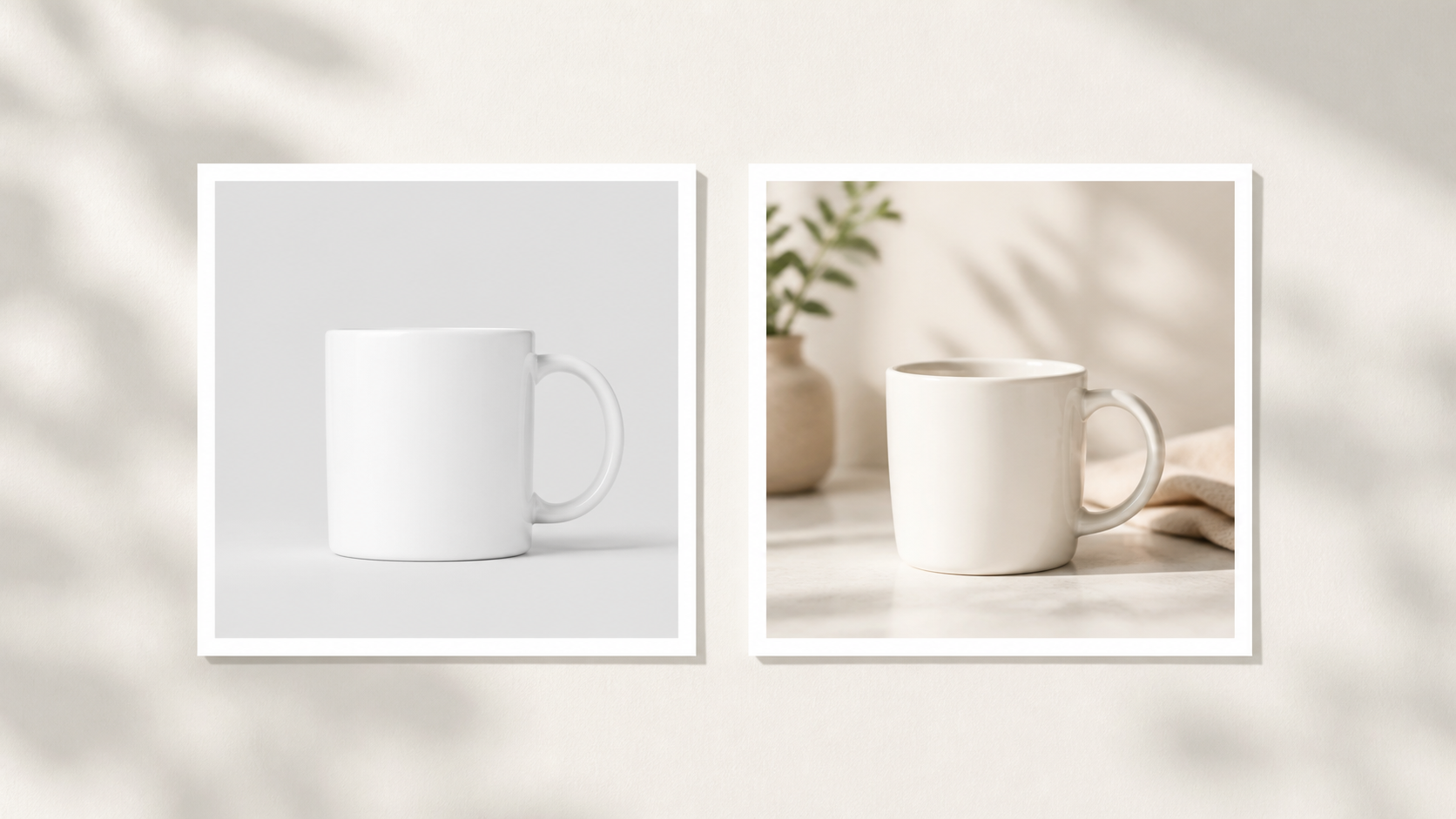
Canva and AI mockup tools solve different problems. Canva is built for layout: templates, text overlays, graphics, and collages. AI mockup tools like Stageflow are built for scene generation: realistic product photos in lifestyle, studio, or styled settings. The comparison above is the whole thesis of this article — same mug, two very different listing images.
This guide breaks down both tools side-by-side: where each wins, where each fails, and how to combine them so your Etsy listings get the best of both.
What Canva does well
Canva is excellent for digital downloads and printables — a planner page inside an iPad mockup, a printable inside a frame, a wedding invitation laid flat. These all work because the product fits a predictable rectangle. It's also strong for listing graphics: size charts, comparison images, "what's included" callouts, before/after labels, and badges like "Best Seller" or "Free Shipping." It handles branded collages — multi-image grids with your shop's logo and consistent typography — and social media versions where you resize the same listing image for Instagram, Pinterest, or Facebook ads. The free tier covers most Etsy seller needs without a paid subscription.
If your listing image is mostly a layout problem — text, badges, multiple panels — Canva is the right tool.
Where Canva starts to feel limiting
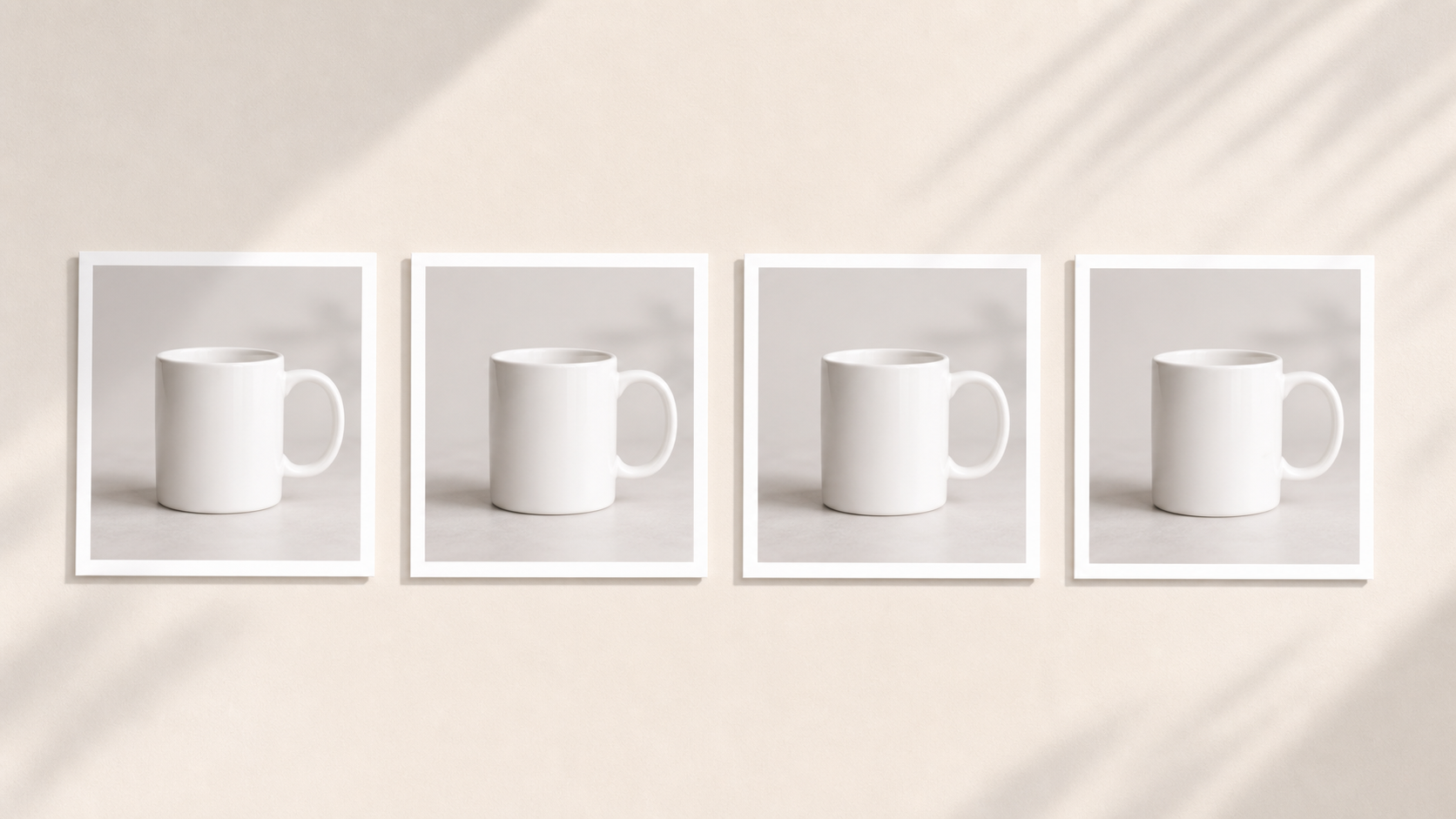
Templates run into problems when the product doesn't fit them. You'll find a mug template, but not the exact mug shape. You'll find a frame template, but not the exact room style. You'll find a t-shirt mockup, but not in the color combination your shop sells.
Common Canva mockup limitations: mug templates only work with standard cylindrical mugs — tapered handles, unusual shapes, or speckled glazes get distorted. T-shirt mockups have fixed angles and folds — you can't shoot from underneath, you can't show the back, you can't change the model. Lighting and shadow are baked in — if the template's lighting clashes with your product, you can't fix it. Scene customization is limited — you can't say "put this candle on a wooden nightstand at sunset," you can only pick from existing template scenes. And everyone uses the same templates — when five competitors use the same popular mockup, your listing blends in.
That last problem is the real risk for Etsy sellers, and the search grid above shows it. The same Canva mockup template can appear in dozens of competing listings for the same product category. Buyers scrolling search results may not consciously notice — but they don't click the listings that look generic.
What AI mockups (Stageflow) do well
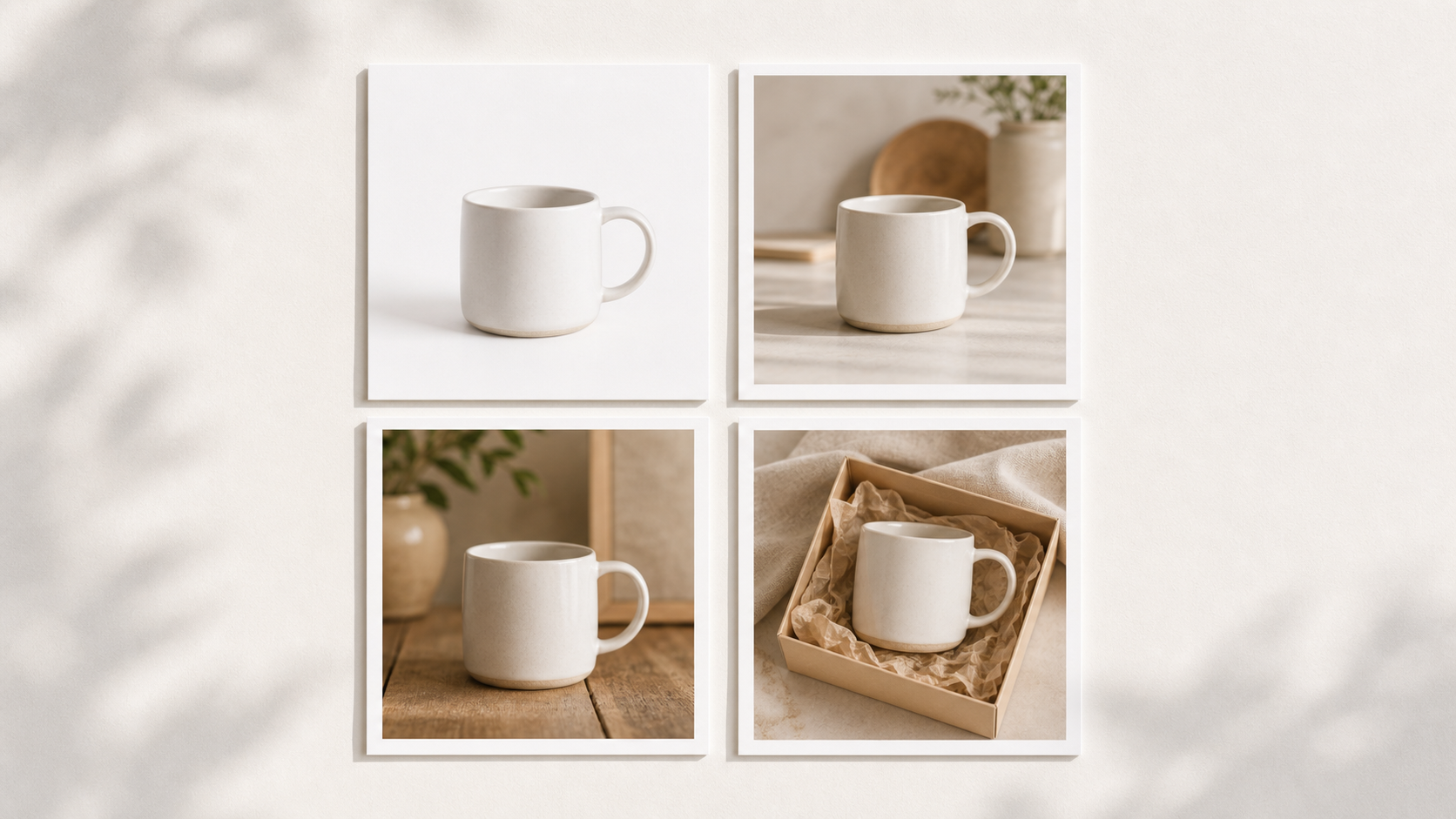
AI mockup tools work by generating a new scene around your actual product photo. You're not placing your design into a fixed template. You're describing a scene and the AI builds it. The grid above is one mug, four different prompts — none of those scenes exist as a Canva template, but all four took under a minute to generate.
That makes AI mockups stronger for lifestyle photography — "candle on a nightstand at sunset with a book" is specific, custom, and not in any template library. They're strong for handmade and unique products like ceramics, jewelry, knit goods, and soaps — anything with irregular shape or texture. They let you generate multiple scenes for one product, like the four above, from one source photo. They handle niche styling — cottagecore, minimalist, dark academia, coastal grandma. And every output is original; no two AI-generated mockups are identical, so your listings won't look like every competitor's.
Where AI mockups struggle
AI mockups have their own limits. Text overlays: you can't reliably add precise text, size charts, or branded badges in the AI tool itself. Add those in Canva afterward. Exact product fidelity: AI may slightly alter packaging text, logos, or fine details on the product itself, so always check the output carefully. Complex layouts: multi-panel collages with text and graphics are still a Canva job. Predictable repeat exactness: each generation is slightly different, so if you need a pixel-identical mockup across 50 listings, a template wins.
Direct comparison
Best for: Canva is best for layouts, text, collages, and digital products. Stageflow is best for realistic product photos and lifestyle scenes. Time per image: Canva takes 5 to 15 minutes per image once you account for finding the right template and adjusting; Stageflow takes 30 to 60 seconds per generation. Customization: Canva is limited to template variations; Stageflow is unlimited via prompts. Originality: Canva is low because many sellers use the same templates; Stageflow is high because every output is unique. Text and graphics: Canva has them built-in and they're excellent; with Stageflow you add them in Canva afterward. Learning curve: Canva is drag-and-drop; Stageflow is writing a prompt. Free tier: Canva is generous; Stageflow gives you 10 free mockups. Best output for Etsy: Canva for listing graphics with text; Stageflow for main images, lifestyle photos, and scale shots.
When to use Canva
Digital downloads where the product is the design itself. Listing graphics with text, badges, or callouts. Size charts and comparison images. Pinterest pins and Instagram posts derived from your listing. "What's included" graphics for bundle listings.
When to use Stageflow
Main listing images that need to look like real product photos. Lifestyle scenes — candle on nightstand, soap in bathroom, mug on counter. Scale shots — sticker on laptop, jewelry in hand. Packaging shots that don't have an existing template. Multiple scene variations from the same product photo. Shop-style consistency across many listings without template sameness.
The best workflow combines both
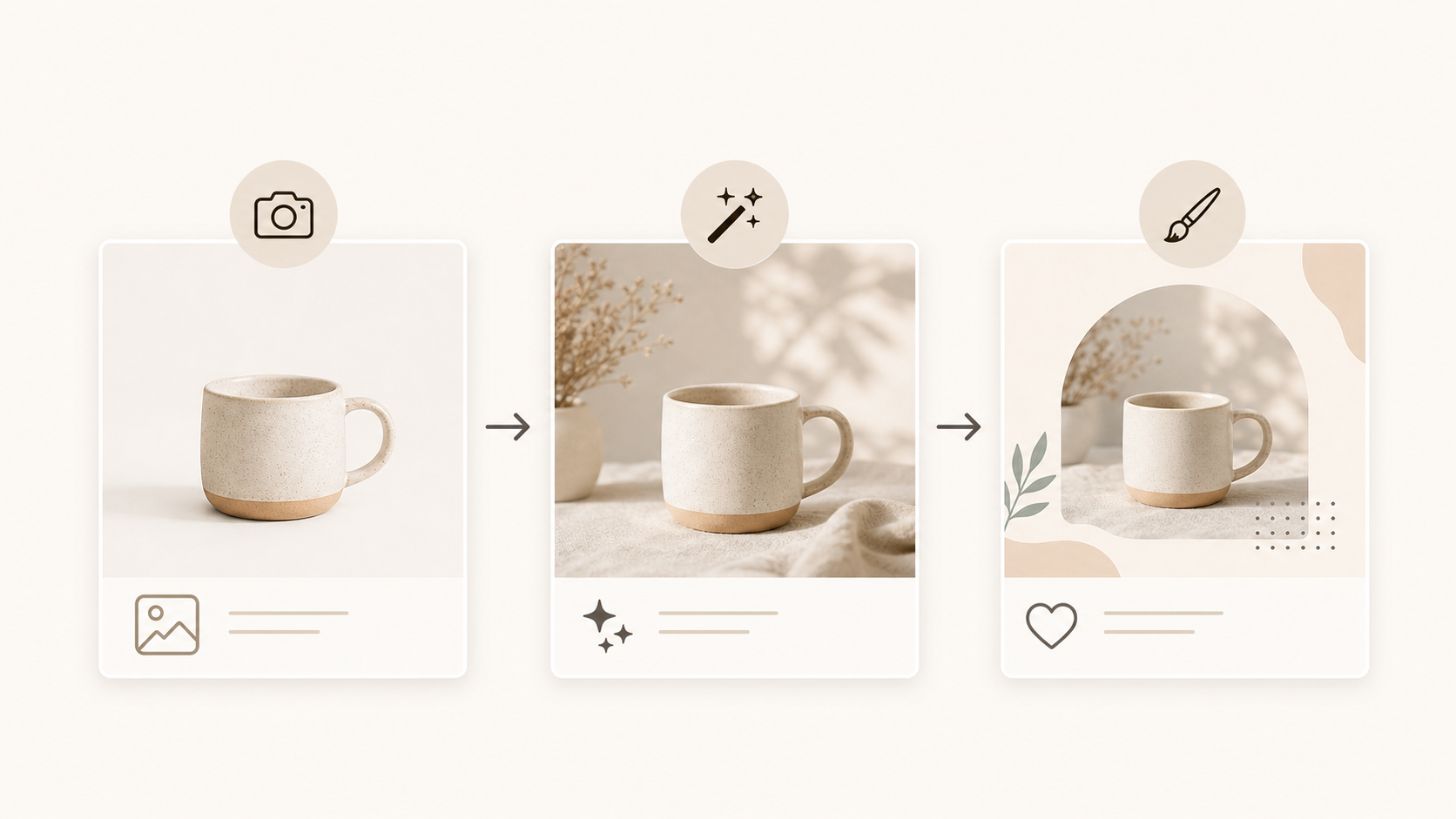
For most Etsy sellers, the strongest workflow uses both tools. First, generate the photo in Stageflow: upload your product image, write a scene prompt, pick an Environment (Studio, Lifestyle, Styled Surface), and generate the listing photo. Second, bring it into Canva for graphics: if you need a size chart, text overlay, "free shipping" badge, or branded layout, add those in Canva on top of the Stageflow image. Then export and publish. The workflow image above shows the full path.
This gives you realistic, original product photography AND branded listing graphics. Neither tool alone delivers both.
Decision flowchart
Quick reference. Need text, badges, or a multi-panel layout? Use Canva. Need a realistic product photo in a scene? Use Stageflow. Need a photo with text overlay? Use Stageflow first, then Canva. Need a digital download or printable mockup? Use Canva. Need a lifestyle shot of a handmade item? Use Stageflow. Need a size chart graphic? Use Canva. Need to refresh tired listing photos quickly? Use Stageflow.
Bottom line
Canva is template-first. Stageflow is scene-first. Etsy sellers shouldn't choose one and abandon the other — they should pick the right tool for each image in the listing. Use Stageflow for the photos that need to look real. Use Canva for the graphics that need text and structure. Together, you get listings that feel professional, original, and distinct in search.
For AI-friendly listing scene ideas, read 25 Etsy Product Photography Examples You Can Recreate With AI. For a fast workflow guide, see How to Create Professional Product Photos in Under 5 Minutes.